Using the Data Picker
Launching the SHARPpy program should load up the SHARPpy Sounding Picker:

The SHARPpy Sounding Picker window showing the locations where observed sounding data may be examined through the program interface.
The Picker is an interface where the metadata for sounding data sources may be examined in order to help select the sounding data the user wishes to analyze. In this window, users can select the data source (top left) which includes both observed and modeled sounding datasets. For each sounding source, a data cycle time can be selected. For observed data, this will generally be at 00 and 12 UTC. For modeled data, the data may be available at hourly or synoptic time intervals (e.g., 00, 06, 12, or 18 UTC). If point forecast soundings are desired by the user from different models (e.g., GFS), the “Select Forecast Time” list will be populated to show the model forecast times available from that model. This list can be used to load subsets of the model run data into SHARPpy for analysis.
After the data source and times are selected, the map to the right will be populated with red points indicating the sounding locations available. While the program does default to U.S. locations, the map can be reoriented by clicking and dragging the map area. Double clicking on the map will center the map to the cursor location. Other global maps (e.g., Tropics and Southern Hemisphere) can be selected from the drop down box. Should you wish to save your map view as the new default map view, you can click the “Save Map View as Default” box in the top right. Selection of a sounding data site will turn that site green on the map. Once a sounding data site is selected, you can click “Generate Profiles” to download the data and analyze it in the SHARPpy GUI.
Default Data Sources
SHARPpy links into various datasets around the web to allow the user to explore a variety of observed and modeling datasets. Links to these datasets come default with the SHARPpy package and files pointing SHARPpy to these datasets are placed in the user’s home directory underneath a directory called .sharppy/. Unless you are attempting to install additional data sources that SHARPpy can read, this folder should not be modified.
| Name | Link | Datasets |
|---|---|---|
| Penn State | http://www.meteo.psu.edu/bufkit/ | HRRR, GFS, NAM, 3km NAM, SREF, RAP |
| NOAA SPC | https://www.spc.noaa.gov/exper/soundings/ | Observed U.S. Soundings |
| SHARP | http://sharp.weather.ou.edu/ | Observed & Archived Int. Soundings |
Currently, both the NOAA SPC and SHARP server datasets are able to offer world-wide observed soundings. While the SPC server is handled by the meteorologists at the Storm Prediction Center, the SHARPpy development team has been granted server space at the University of Oklahoma to generate various datastreams (e.g. international soundings). Data from the SHARP server is generated by GEMPAK binaries that merge realtime standard and significant level data accessible here. Archived soundings were downloaded from the publically available GEMPAK data archive managed by the Iowa Environmental Mesonet. Data from this archive starts on January 1st, 1946. Decoding of this dataset (and the real-time international data stream on SHARP) are performed by the GEMPAK snlist binary distributed in the NWS SOO’s BUFRgruven package.
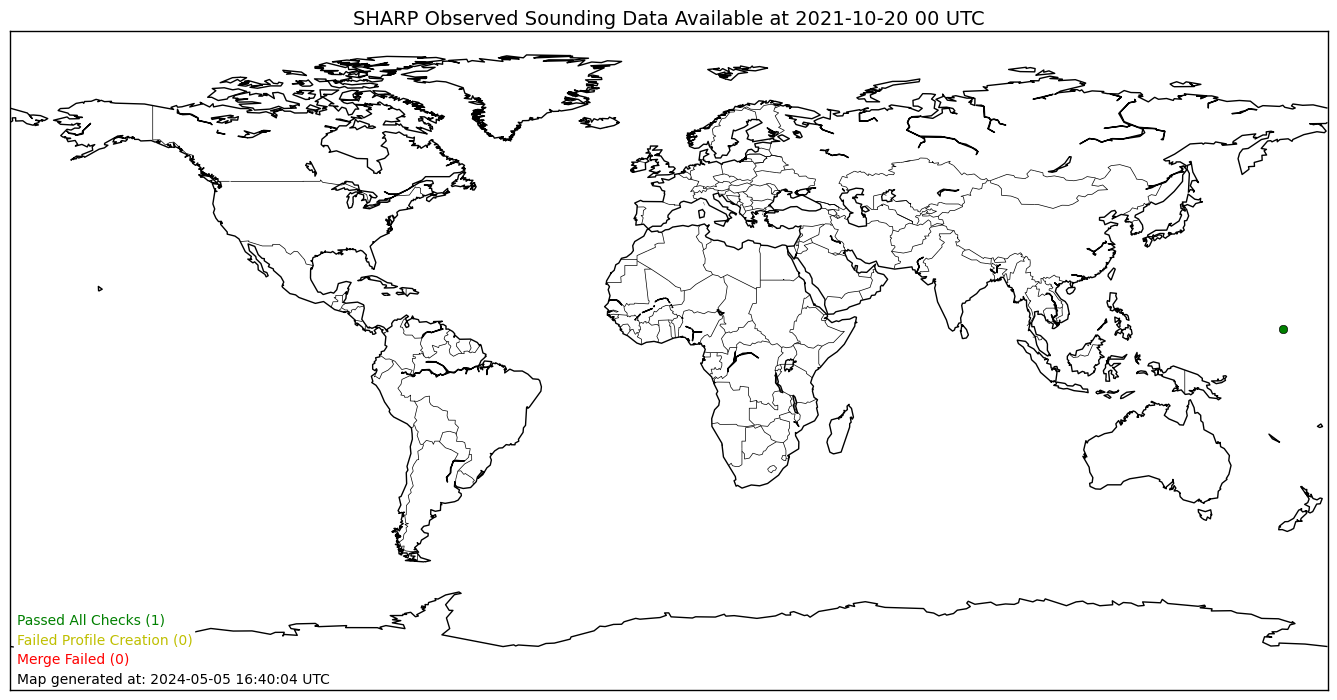
A real-time status plot from the SHARP server generated for the last (00 or 12 UTC) sounding dataset available. Each point indicates a location where sounding data was found on the Unidata stream. The color of each point indicates the status of the data in the processing steps. Green data points indicate data files that were able to be generated by the merge script and passed the SHARPpy data integrity checks. Yellow data points indicate data files that were created, but threw an exception when passed to SHARPpy (likely due to data integrity issues). Red data points are locations where the merge script failed and are likely due to incomplete data in the Unidata stream.
The data provided by Penn State is provided in the Bufkit format. The foreast soundings provided within this format are derived directly from the model native vertical grid; no interpolation is performed. Often, the forecast sounding points are located at stations where METAR observations can be found. The forecast sounding points have been chosen by the scientists at NOAA’s Environmental Modeling Center as a part of their mission to support NOAA’s mission. Although we are persuing various options for expanding the various sounding points from these models, we do not have the ability to add more data points.
Note
The SHARPpy development team has noticed a distinct sensitivity of various SHARPpy algorithms to the post-processing performed on model output. Particularly, this sensitivity is best noticed when SHARPpy output is compared between model forecast soundings a.) created by interpolated from the model vertical grid to 25-mb pressure levels and b.) those created from the native model vertical grid. Because of this sensitivity, differences may appear between different SHARPpy output across the web.
Warning
Occasionally, the default data sources go down in SHARPpy. With the exception of the SHARP dataset, these issues are largely outside of our control and may often be resolved by trying to access the data again at another time.
Changing preferences
Users may select “Preferences” using the menu bar of the SHARPpy program. Doing so will load a small window where the user can modify the SHARPpy color pallet and the units of the program. Currently, the three color pallets exist: the Standard (black background), Inverted (white background), or the Protanopia (for color blindness).
Units may be changed for the surface temperature value, the winds, and the precipitble water vapor. Switching to metric units through this method may help international users more easily use the program. These changes may be detected in the GUI, as various locations where the units are shown will switch when a new unit is selected in the Preferences.